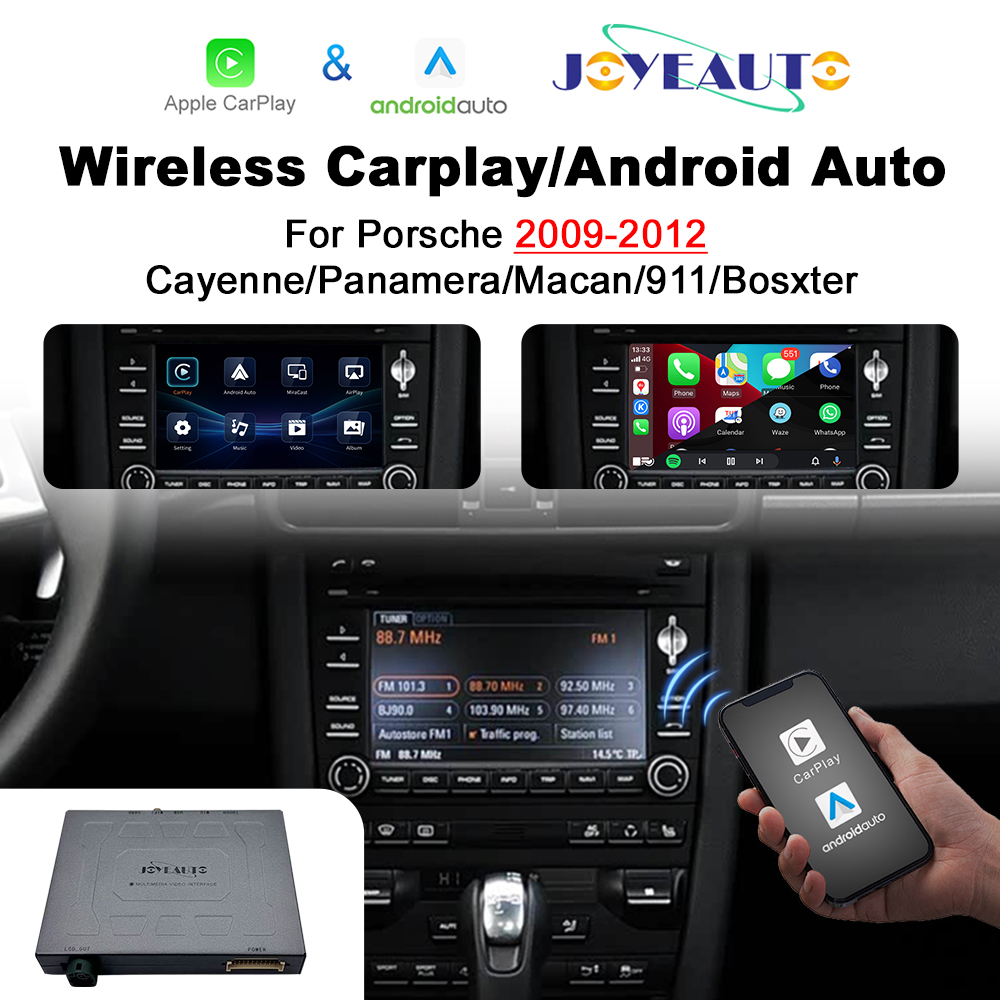
If you’re lucky enough to own a Porsche from the late 2000s—like the legendary 911 (997.2) or the analog-feeling Cayman/Boxster (987.2)—you know you’re driving a modern […]
If you’re lucky enough to own a Porsche from the late 2000s—like the legendary 911 (997.2) or the analog-feeling Cayman/Boxster (987.2)—you know you’re driving a modern classic. The hydraulic steering and the mechanical soul of these cars are irreplaceable.
However, there’s one thing that definitely hasn’t aged well: the Porsche PCM 3.0 infotainment system. In 2026, its low-res maps and clunky Bluetooth feel like they belong in a museum. But don’t worry, adding Wireless CarPlay to your original head unit is the single best tech investment you can make.
1. Does Your Ride Have Porsche PCM 3.0?
Before ordering, it’s crucial to confirm your system. The Porsche PCM 3.0 was the bridge between the old DVD-based units and the more common 3.1 version.
2. Why Upgrade Your Porsche PCM 3.0 to Wireless CarPlay?
Let’s be honest: the factory navigation in a Porsche PCM 3.0 is practically useless today. By installing a Wireless CarPlay interface, you’re giving your car a brain transplant.
Real-Time Navigation: Use Waze or Google Maps to avoid traffic.
Lossless Audio: Stream high-fidelity music through your fiber-optic Bose system.
Smart Voice Control: Keep your hands on that beautiful steering wheel and use Siri or Google Assistant.
Pro Tip for Newer Models: If your Porsche already has factory wired CarPlay, you might not need a hardware module. Instead, you can level up your entertainment with anMMB CarPlay AI Box. It allows you to watch the 2026 FIFA World Cup or stream Netflix directly on your car’s screen—perfect for those halftime breaks!
3. Technical Specs & Comparison
The Porsche PCM 3.0 requires a specific hardware internal board. The Joyeauto kit for Porsche PCM 3.0 is engineered specifically for this architecture to ensure 100% stability.
Table 2: Joyeauto Module vs. Aftermarket Solutions
Many owners are protective of their interiors. The beauty of this Wireless CarPlay upgrade is that it is a “stealth” installation. Everything is tucked away inside the Porsche PCM 3.0 chassis.
No Wire Cutting: The harness is 100% plug-and-play.
Reverse Camera Support: This module makes adding a camera to your Porsche PCM 3.0 incredibly easy.
100% Reversible: Perfect for collectors who want to maintain the car’s long-term value. For official maintenance tips, always refer to the Porsche Official Service guidelines.
5. Frequently Asked Questions (FAQ)
Q: Will adding Wireless CarPlay mess with my Porsche warranty?
Since it’s a plug-and-play kit for the Porsche PCM 3.0 with no wire cutting, it’s generally safe and 100% reversible. If you need a dealership service, you can simply switch back to the original system or remove the module.
Q: Is the screen resolution on the Porsche PCM 3.0 good enough?
Surprisingly, yes! The Wireless CarPlay interface optimizes the UI for the Porsche screen, making maps crisp and easy to read. You can see community discussions on screen quality over at P-9 (Planet-9) Porsche Forum.
Q: Can I still use the steering wheel buttons?
Absolutely. Volume, track skipping, and Siri/Google Assistant voice commands work flawlessly within the Porsche PCM 3.0 ecosystem.
Q: What if I have an Android phone?
The Joyeauto module is a 2-in-1 solution. It supports both Wireless CarPlay for iPhones and Wireless Android Auto for Android devices.
Q: Will I lose my original Porsche menus or radio?
Not at all. Your original Porsche PCM 3.0 remains untouched. Just press and hold the “Info” or “Nav” button on your head unit to switch between the original Porsche interface and the CarPlay screen.
Verdict: The Best Mod for Your Porsche
In 2026, driving a Porsche PCM 3.0 equipped car is a statement of style. Adding Wireless CarPlay gives you the best of both worlds: a classic analog driving experience with a modern digital cockpit.
We use cookies to personalise content and ads, to provide social media features and to analyse our traffic. We also share information about your use of our site with our social media, advertising and analytics partners who may combine it with other information that you’ve provided to them or that they’ve collected from your use of their services.
Cookies are small text files that can be used by websites to make a user's experience more efficient.
The law states that we can store cookies on your device if they are strictly necessary for the operation of this site. For all other types of cookies we need your permission. This means that cookies which are categorized as necessary, are processed based on GDPR Art. 6 (1) (f). All other cookies, meaning those from the categories preferences and marketing, are processed based on GDPR Art. 6 (1) (a) GDPR.
This site uses different types of cookies. Some cookies are placed by third party services that appear on our pages.
You can at any time change or withdraw your consent from the Cookie Declaration on our website.
Learn more about who we are, how you can contact us and how we process personal data in our Privacy Policy.
Please state your consent ID and date when you contact us regarding your consent.