






















Introduction
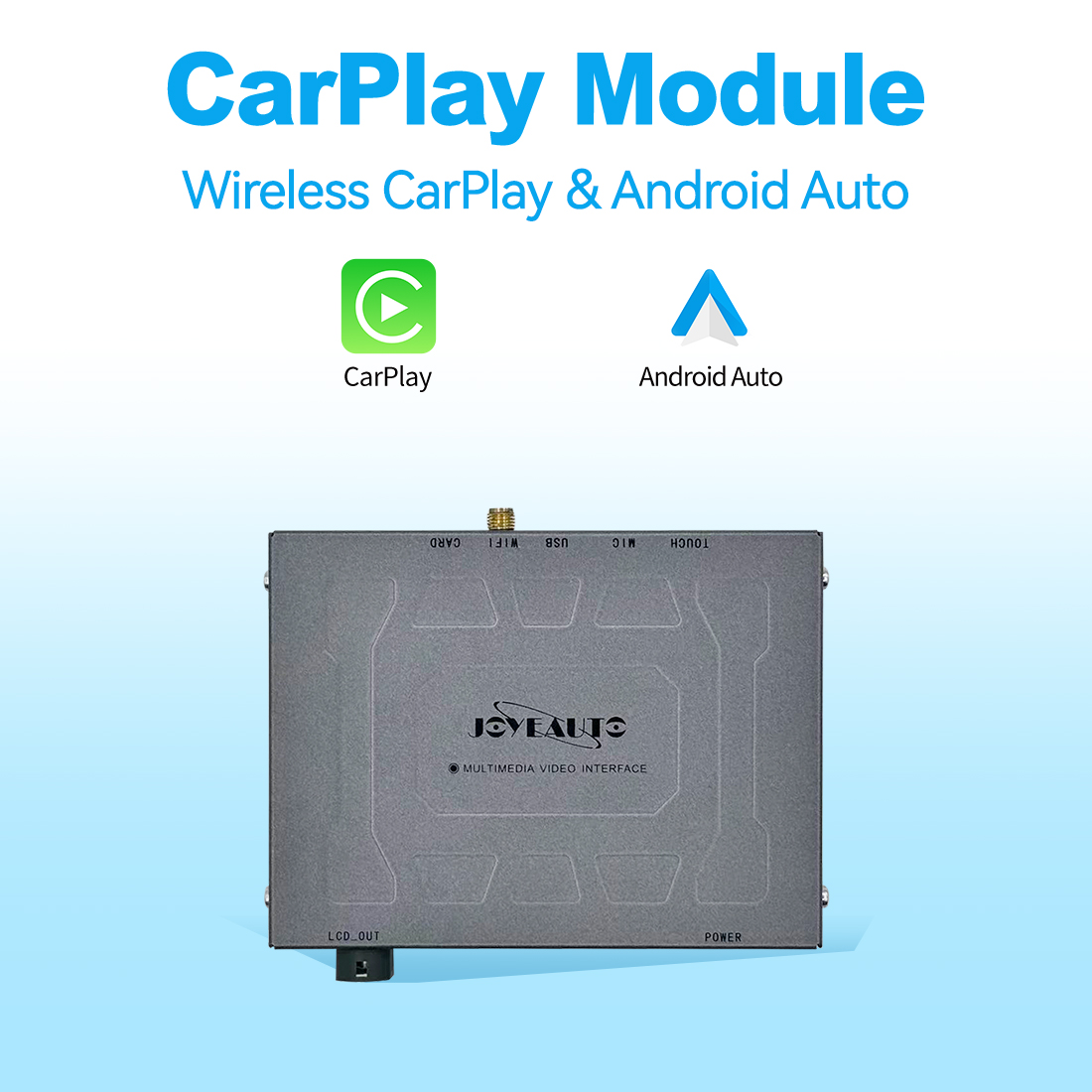
JoyeAuto CarPlay cannot switch to interface is a frequently reported issue after installing aftermarket CarPlay retrofit modules. In many cases, the factory infotainment system continues to work normally, including audio, navigation, and display functions, but the CarPlay interface does not appear or cannot be activated.
This issue is often misunderstood as a hardware failure. However, in most cases, JoyeAuto CarPlay cannot switch to interface is caused by configuration errors, incorrect vehicle coding, or signal switching issues rather than defective hardware.
This guide explains why JoyeAuto CarPlay cannot switch to interface happens, and how to systematically troubleshoot and fix it.
How JoyeAuto CarPlay System Works
JoyeAuto modules are designed as an interface layer between the factory head unit and Apple CarPlay system. They do not replace the original system; instead, they intercept video and control signals to enable switching between OEM UI and CarPlay UI.
Apple defines CarPlay as an integrated in-car system that brings iPhone apps and features to the vehicle display Apple CarPlay Official.
From a technical standpoint, JoyeAuto CarPlay cannot switch to interface usually indicates a failure in one of the following layers:
- CANBUS communication layer
- LVDS video switching layer
- Trigger input command layer
If any layer fails, the factory system still works normally, but CarPlay interface switching does not occur.
Reference architecture of in-vehicle infotainment systems can also be found in CarPlay documentation and industry overview CarPlay Wikipedia.
Main Reasons Why JoyeAuto CarPlay Cannot Switch to Interface
1. CANBUS Protocol Mismatch
The most common cause of JoyeAuto CarPlay cannot switch to interface is incorrect CANBUS configuration.
Different vehicles require different decoding protocols:
- BMW CIC / NBT systems
- Audi MMI 2G / 3G systems
- Mercedes NTG platforms
If CANBUS is mismatched:
- OEM system still works normally
- CarPlay switching command is ignored
- Interface never loads
This is the #1 root cause in most installations.
2. Incorrect DIP Switch Settings
DIP switches define system compatibility.
Incorrect settings lead to:
- No response when switching is triggered
- Black screen or no signal change
- Factory UI remains active only
Even one incorrect DIP configuration can result in JoyeAuto CarPlay cannot switch to interface.
For compatibility reference:
JoyeAuto Shop All
3. LVDS Cable Connection Problem
LVDS is responsible for transmitting video signals between the module and head unit.
If LVDS is:
- Loose
- Reversed (IN/OUT swapped)
- Not fully inserted
Then the system will behave as:
- Factory system works normally
- CarPlay interface never appears
- Switching fails completely
This is a critical physical-layer issue often overlooked.
4. Switching Trigger Not Activated
CarPlay switching depends on trigger inputs such as:
- Long press MENU button
- Long press BACK button
- Steering wheel voice control
If trigger configuration is incorrect:
👉 JoyeAuto CarPlay cannot switch to interface even if hardware is correct.
5. Firmware Compatibility Issues
Outdated firmware can cause serious switching problems:
- Black screen on switching
- Infinite loading
- Device not detected
Firmware mismatch between iOS version and module software is a known cause of interface failure.
Step-by-Step Troubleshooting Guide
Step 1: Check Power Status
Ensure the module LED indicator is stable. If unstable or off, check wiring.
Step 2: Verify DIP Switch Configuration
This is the most important step for resolving JoyeAuto CarPlay cannot switch to interface issues.
Step 3: Test Switching Methods
Try all triggers:
- MENU long press
- BACK long press
- Steering wheel button
Step 4: Reconnect LVDS Cable
Ensure LVDS IN/OUT are firmly connected and not reversed.
Step 5: Reset System
Perform a full reset to restore default configuration.
Step 6: Confirm Vehicle Compatibility
Some vehicles require additional coding or firmware-specific versions.
Why Factory System Works Normally
If the factory system still functions normally while JoyeAuto CarPlay cannot switch to interface, it indicates:
- Head unit is working correctly
- Power supply is stable
- Display system is intact
Therefore, the issue is not in the OEM system.
The problem is isolated to:
- Switching logic layer
- CANBUS communication
- Trigger or firmware configuration
Internal Product Reference
For compatible products and installation guides:
JoyeAuto Shop All Products
Conclusion
JoyeAuto CarPlay cannot switch to interface is rarely caused by hardware failure. Instead, it is typically related to configuration errors, CANBUS mismatch, DIP switch settings, or firmware incompatibility.
By systematically checking each layer—signal, configuration, wiring, and software—the issue can usually be resolved without replacing the module.
FAQ
1. Why does my factory system still work but JoyeAuto CarPlay cannot switch to interface?
Because the OEM system and CarPlay module operate on separate layers.
2. Is this a hardware defect?
In most cases, no. It is configuration or compatibility related.
3. Do I need coding for this issue?
Some vehicles require CANBUS coding depending on platform.
4. What is the fastest fix?
Check DIP switches and LVDS connections first.
5. Can firmware updates fix it?
Yes, if the issue is caused by software compatibility.